
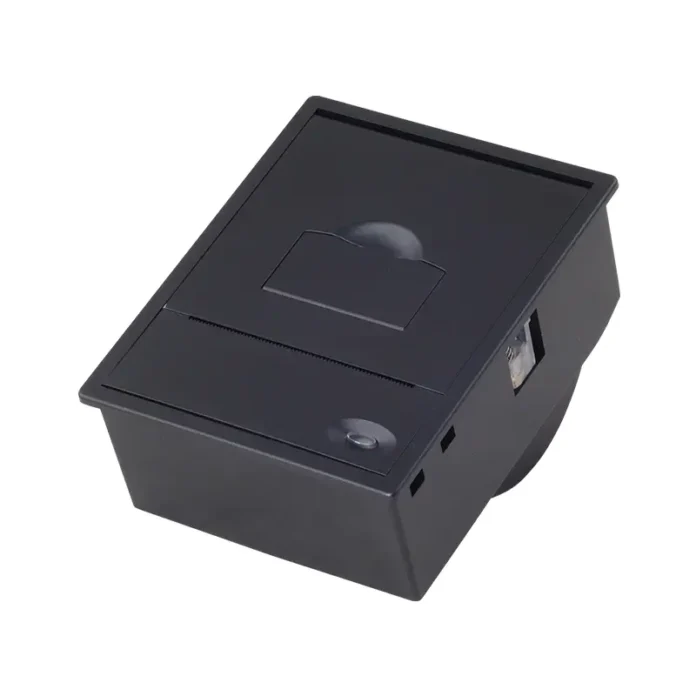

Self-service machines have become common in retail stores, transportation hubs, restaurants, hospitals, parking facilities, and many other environments. These machines need to provide users with quick, reliable information, receipts, tickets, or transaction records without requiring staff assistance. A thermal kiosk printer is one of the key components that makes this process possible.
Unlike traditional printers, a Thermal Kiosk Printer uses heat to create printed output, eliminating the need for ink or toner. Its compact design, fast printing performance, and relatively simple mechanism make it well suited to machines that operate continuously and have limited internal space.
What Is a Thermal Kiosk Printer?
A thermal kiosk printer is a printing mechanism designed to be integrated directly into self-service equipment. It typically prints receipts, tickets, vouchers, queue numbers, transaction records, or other small-format documents.
The printer is usually installed inside the kiosk, with the paper outlet positioned where users can easily collect the printed document. Its operation is controlled by the kiosk’s main computer or embedded controller.
How Thermal Printing Technology Works
Thermal kiosk printers generally use direct thermal printing. Instead of transferring ink onto paper, the printhead applies controlled heat to specially coated thermal paper.
When specific areas of the paper are heated, the coating reacts and produces visible marks. The printer moves the paper beneath the printhead while activating individual heating elements to create letters, numbers, graphics, and other information.
This process has several practical advantages:
- No ink cartridges or toner are required.
- The printing mechanism can be compact.
- Fewer consumable components are involved.
- Printing can be performed quickly.
- Routine maintenance can be relatively simple.
Main Components of a Kiosk Printer
Although designs vary between models, most thermal kiosk printing systems include several important components.
Thermal Printhead
The printhead contains numerous small heating elements. These elements are electronically controlled to create the required pattern on the thermal paper.
Printhead quality can directly affect print clarity, consistency, and operating life.
Paper Feed Mechanism
The paper feed system uses motors, rollers, and sensors to move the paper through the printer. Accurate feeding is important because incorrect paper positioning can result in incomplete or misaligned printing.
Paper Sensors
Sensors help detect conditions such as paper presence, paper end, or paper jams. These signals allow the kiosk controller to respond appropriately and notify users when intervention is required.
Cutter Mechanism
Many self-service machines require the printed receipt or ticket to be separated automatically. A built-in cutter can cut the paper after printing, allowing the user to remove the completed document.
How the Printer Communicates With the Kiosk
A thermal kiosk printer does not normally operate independently. It receives instructions from the kiosk’s control system.
When a transaction is completed, the software generates the required print data. This information is sent to the printer through a compatible communication interface.
Depending on the equipment design, interfaces may include USB, serial communication, Ethernet, or other embedded connections. The printer interprets the incoming commands and controls the printhead, paper feed, and cutter accordingly.
Printing During a Self-Service Transaction
A typical printing process follows several stages:
- The user completes an action on the kiosk screen.
- The kiosk software generates the required document.
- Print data is transmitted to the printer.
- The paper feed mechanism positions the thermal media.
- The thermal printhead creates the requested content.
- The printer advances the paper to the correct position.
- The cutter separates the document when required.
- The user collects the printed receipt or ticket.
The entire sequence can happen within seconds, depending on the document size and printer configuration.
Why Thermal Printers Suit Self-Service Machines
Self-service equipment often operates in demanding environments where reliability and space efficiency are important. Thermal technology addresses several of these requirements.
Compact Construction
Kiosks have limited internal space because they must accommodate screens, computers, payment systems, scanners, power supplies, and other hardware. A compact thermal mechanism can fit into these restricted areas.
Fast Output
Users generally expect quick service from self-service equipment. Thermal printers can produce short receipts and tickets rapidly, helping reduce waiting times.
Reduced Consumables
Because direct thermal printing does not require ink or toner, operators do not need to manage ink cartridges. The primary consumable is thermal paper.
Simple Maintenance
A relatively straightforward printing mechanism can reduce the number of components that require regular replacement or servicing.
Common Applications
Thermal kiosk printers can be found in many types of self-service systems.
Ticketing Machines
Transportation and entertainment systems can use thermal printers to produce tickets, receipts, or confirmation slips.
Payment Kiosks
Payment terminals may print transaction records, receipts, or confirmation documents after a successful payment.
Parking Machines
Parking systems can use printed tickets or payment receipts to provide users with physical records.
Queue Management Systems
Hospitals, banks, government offices, and service centers can print queue numbers or appointment information for visitors.
Retail Self-Service Systems
Retail kiosks may produce receipts, collection slips, order numbers, or other transaction-related documents.
Choosing the Right Thermal Kiosk Printer
Selecting a printer requires more than checking its basic printing speed. The printer must match the kiosk’s physical and operational requirements.
Important factors include:
- Available installation space
- Paper width and roll capacity
- Printing speed
- Print resolution
- Communication interface
- Cutter requirements
- Paper detection capabilities
- Power requirements
- Operating temperature
- Expected printing volume
- Maintenance accessibility
The choice should also consider how frequently the machine will be used. A printer installed in a high-traffic location may require different durability characteristics from one used occasionally.
The Importance of Paper Compatibility
Thermal paper is an essential part of the printing system. The paper must match the printer’s supported width, thickness, thermal characteristics, and roll dimensions.
Poor-quality or incompatible media can contribute to faded output, feeding problems, or unnecessary wear. Operators should therefore follow the printer manufacturer’s media specifications when selecting replacement rolls.
Reliability in Continuous-Use Environments
Many self-service machines operate for long periods with limited human supervision. A printer failure can interrupt an otherwise functional kiosk and create an inconvenient customer experience.
For this reason, reliability features such as paper sensors, jam detection, robust feeding mechanisms, and durable printheads can be important considerations. Easy access to the printer can also simplify maintenance when service is required.
Conclusion
Thermal kiosk printers provide a practical printing solution for modern self-service machines. By using heat-sensitive paper instead of ink or toner, they can deliver fast and compact printing while supporting straightforward integration into automated equipment.
Understanding the printhead, paper feed, sensors, cutter, communication interface, and operating environment helps businesses select a printer that fits their specific kiosk application. When these elements are properly matched, thermal printing can support efficient and dependable self-service operations across many industries.

