
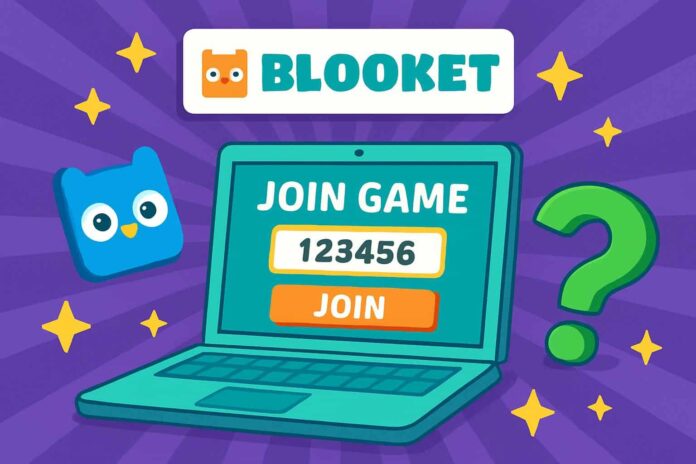

Blooket is an exciting educational platform that turns learning into an interactive game. With a variety of fun game modes and customizable content, Blooket offers a new and engaging way to learn. Whether you’re a student looking for a fun way to review material or a teacher who wants to spice up your lessons, Blooket has something for everyone. In this article, we’ll show you how to join Blooket, explore its features, and explain why it’s one of the best tools for interactive learning.
What Is Blooket?
Blooket is an online learning tool that allows students to participate in educational games while reinforcing their knowledge. It’s designed to make studying fun and competitive by turning quizzes into games. Teachers can create custom games or use pre-made content, allowing them to tailor the material to their curriculum.
The platform offers a range of game modes, from classic quiz formats to strategy-based games, all designed to keep students engaged while they learn. Blooket’s gamified approach ensures that learning is never boring, helping students stay motivated and retain information.
Why Should You Join Blooket?
Blooket has quickly become a popular choice for students and teachers alike. Here are a few reasons why you should join Blooket:
- Fun and Interactive: Learning through games makes studying more enjoyable and engaging.
- Variety of Game Modes: Blooket offers different game modes that keep the learning experience fresh and exciting.
- Customizable Content: Teachers can create their own quizzes or use pre-made ones, ensuring that the material is relevant and tailored to the class.
- Track Progress: Students can track their progress in real-time, helping them identify areas where they need improvement.
By joining Blooket, you can enhance your learning experience and make education more enjoyable and interactive.
How to Join Blooket: A Simple Guide
Getting started with Blooket is easy, whether you’re a student or a teacher. Follow these simple steps to join the platform and start learning.
Step 1: Visit the Blooket Website
To join Blooket, go to the official website at www.blooket.com. Once on the homepage, you’ll see two main options: “Host a Game” and “Join a Game.”
- Students: Click “Join a Game” to participate in an existing game session.
- Teachers: Click “Host a Game” to create a game for your students to join.
Step 2: Enter the Game Code
If you’re a student, after clicking “Join a Game,” you’ll be asked to enter a unique game code. This code is provided by the teacher or the host of the game. Make sure to enter the code carefully to ensure you’re joining the correct session.
Step 3: Choose Your Blook
Once you’ve entered the game code, you’ll be prompted to choose your “Blook.” A Blook is your in-game character. You can choose from a variety of fun, quirky characters to represent yourself during the game.
Step 4: Wait for the Game to Start
After selecting your Blook, you’ll wait for the host to start the game. The platform will notify you when the game is about to begin. Once the game starts, you can begin participating by answering questions and playing along.
Step 5: Participate and Have Fun
Now that the game has started, it’s time to answer questions, score points, and compete with others. As you play, you’ll learn new material and reinforce what you already know. The more you engage, the more you’ll enjoy the game.
Popular Game Modes in Blooket
Blooket isn’t just about answering questions—it’s about turning learning into an adventure. The platform offers several exciting game modes to keep students engaged and motivated. Here are some of the most popular game modes:
- Classic Mode: A simple quiz format where players answer questions to earn points.
- Tower Defense: Players use points to defend against incoming enemies, requiring quick thinking and strategy.
- Racing: A fast-paced competition where players race to answer questions quickly and accurately.
- Match: A memory game where players match questions with their corresponding answers.
Each game mode offers a unique experience, making it easy to keep learning fun and fresh every time you play.
How Teachers Can Use Blooket
Blooket is not only fun for students but also a valuable tool for teachers. Here’s how teachers can benefit from using Blooket:
Step 1: Create a Custom Game
Teachers can create their own games by adding custom questions and answers. This ensures that the content is relevant to the lesson plan and tailored to the students’ needs.
Step 2: Choose a Game Mode
Blooket offers several game modes, so teachers can select the one that best suits the lesson’s goals. Whether it’s a competitive quiz or a strategy-based challenge, Blooket provides the tools to make learning engaging.
Step 3: Share the Game Code
Once the game is set up, teachers can share the unique game code with their students. This code allows students to join the game and participate in the fun.
Step 4: Track Student Performance
Blooket offers real-time feedback, allowing teachers to track student performance as they play. Teachers can see which students are answering questions correctly and which ones need additional help.
Troubleshooting Common Blooket Issues
While Blooket is an easy-to-use platform, you may occasionally encounter some issues. Here are a few common problems and how to fix them:
Problem 1: Invalid Game Code
If the game code you entered is invalid, double-check it with the teacher or host. Ensure that all characters are entered correctly, as even a small typo can prevent you from joining the game.
Problem 2: Game Not Starting
If the game hasn’t started yet, wait for the host to begin. The game will not start until the host clicks the “Start” button. You can also try refreshing the page if there’s an issue.
Problem 3: Internet Connection Issues
If you experience lag or disconnection, check your internet connection. A stable connection is essential for smooth gameplay. Try switching to a different network or device if necessary.
Why Join Blooket?
Joining Blooket provides a fun and interactive way to learn. With its variety of game modes, customizable quizzes, and instant feedback, Blooket ensures that students stay engaged while reinforcing their knowledge. Teachers can create personalized lessons and track student progress, making it easy to create an effective learning environment.
Whether you’re looking to review material, learn new concepts, or compete with others, Blooket is the perfect platform to enhance your educational experience.
Conclusion
Blooket is a unique and exciting way to learn. By following the simple steps in this guide, you can quickly join a game, start participating, and have fun while learning. Whether you’re a student looking to make studying more engaging or a teacher wanting to bring excitement to your classroom, Blooket offers an innovative solution to enhance the learning process.

